Giveaway Win 3 months of Appcognito Pro, free. Free entry, one per person. Enter now

Private by design · Android

The app blocker
made for complete privacy

No account, no cloud, nothing tracked. Appcognito blocks what steals your focus, all on your phone, and still does more than blockers that cost four times as much.

  • Private by design
  • Affordable for life
  • Guilt-free, never preachy
  • A community behind you
9:41●●●

Focus

Tell Aurith what's pulling you away, Alex. It locks them until your time's up.

The usual?30m · Social Media
Start
Till when?
15m30m1h2h3h
Block what?
SSocial Media GGaming
Lock with a parent so you can't quit early
Swipe to start 30m focus
9:41●●●
Morning, Alex A
4
2h 34m today
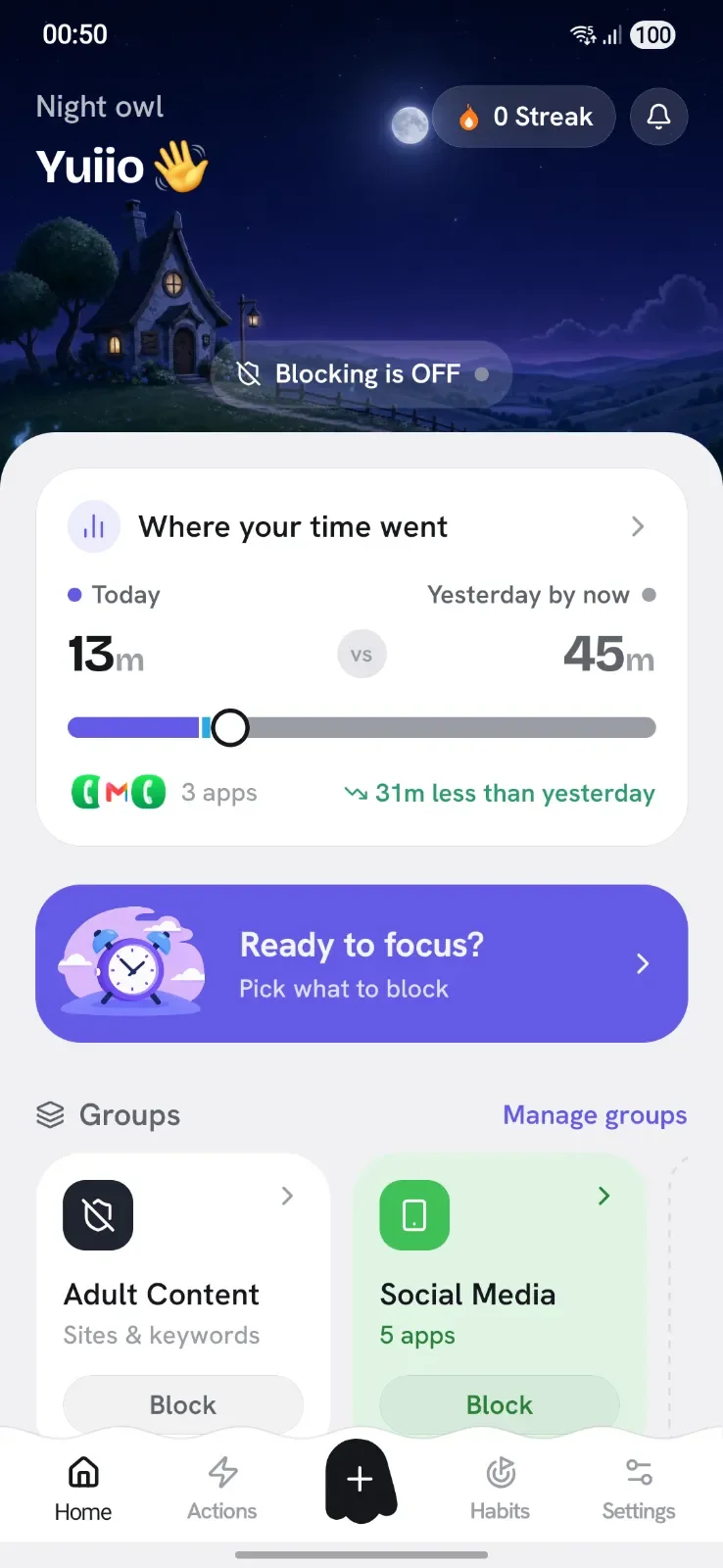
Blocking status On
12 apps 840 sites
Quick BlockManage
D On
Doomscrolling12 apps
Tap to unblock
G
Gaming9 apps
Tap to block
Block more
AppsCut internet for any app
WebsitesBlock sites across apps & browsers
KeywordsBlock any word in searches
9:41●●●

Automation

Set it up once, Alex. Your automation runs on its own and blocks for you.

Create newBuild it your own way
Pick a popular setupBedtime, work, the gym and more
Your automations (2)1 blocking now
Bedtime Armed · waiting for trigger
10:00 PM – 6:00 AM 2 profiles
Charging detox Active now
While charging Social Media
  • 100%On your device
  • 0Trackers or ads
  • 4Ways to block
  • ¼The price of others
Why it matters

The time is yours. Your phone just keeps borrowing it.

You are not weak and you are not alone. Feeds are built by teams of engineers to keep you scrolling, and the minutes add up faster than anyone would guess.

9 in 10 of us reach for our phone within 30 minutes of waking
5 hours the average person spends on their phone, every single day
76 days of your year, gone to the screen, before you notice

Win back 76 days a year. Picture what you could do with it.

  • read 30+ books a year
  • learn a new language
  • get genuinely fit
  • start that side project

Appcognito helps you win it back, with firm, friendly friction and zero surveillance.

Figures from Deloitte and DataReportal, recent global surveys.

Four ways to block

One app, four ways to win back your focus

Every person and every moment is different. Tap to block right now, lock into deep work, automate it away, or bundle distractions into a profile. Use one, or all four.

Mode 01 · Quick Block

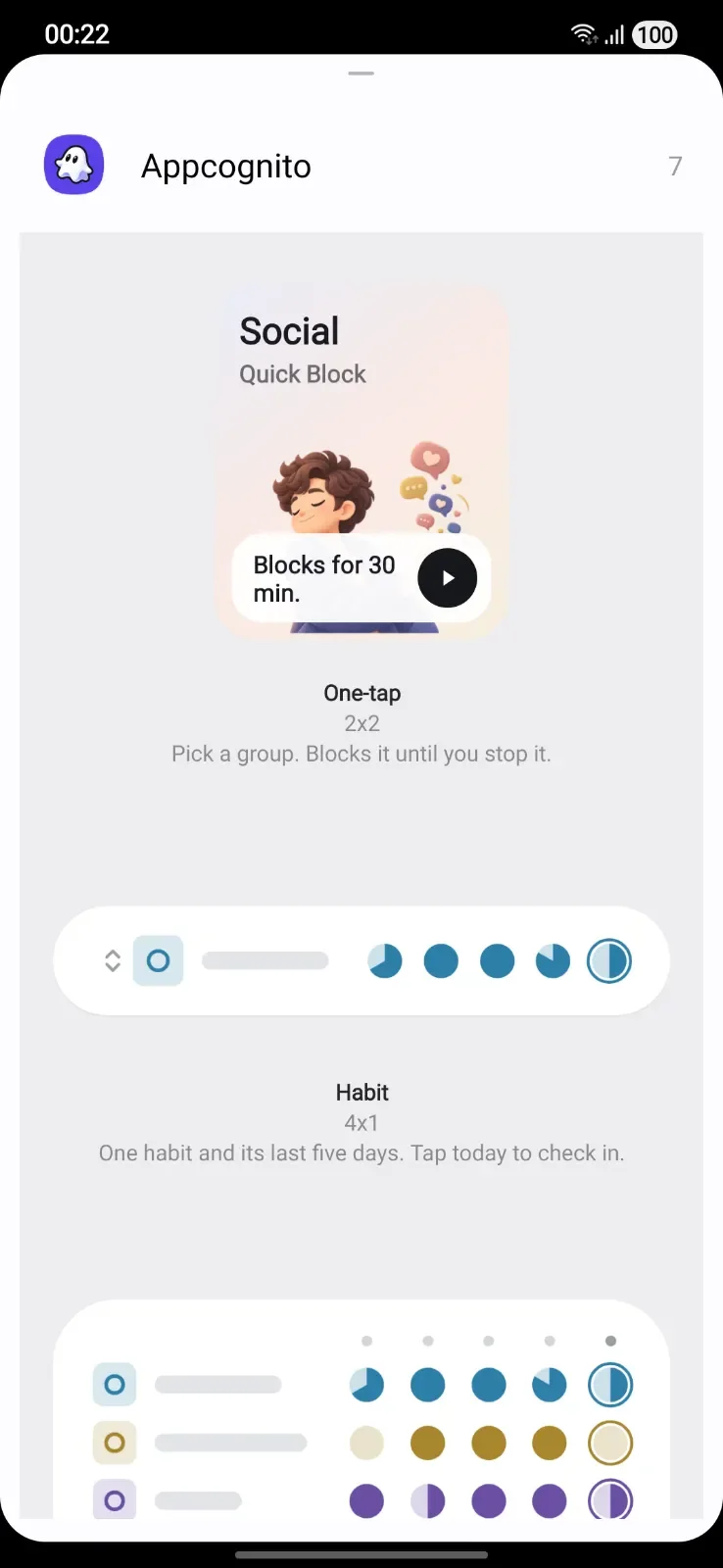
Block anything in a single tap

The fastest way to slam the door on a distraction. Tap an app or site to block it, tap again to let it back in. No menus, no setup, instant relief.

  • Tap to block apps and entire websites on the spot
  • Cut the internet for any single app, not your whole phone
  • Resume the moment you genuinely need it back
9:41●●●

Quick Block

3 blocked

Tap any app to block it instantly

I Instagram
T TikTok
Y YouTube
X X
R Reddit
S Snapchat
R Reels
C Chrome
TikTok blocked
Mode 02 · Focus Mode

Drop into deep work and lock the door

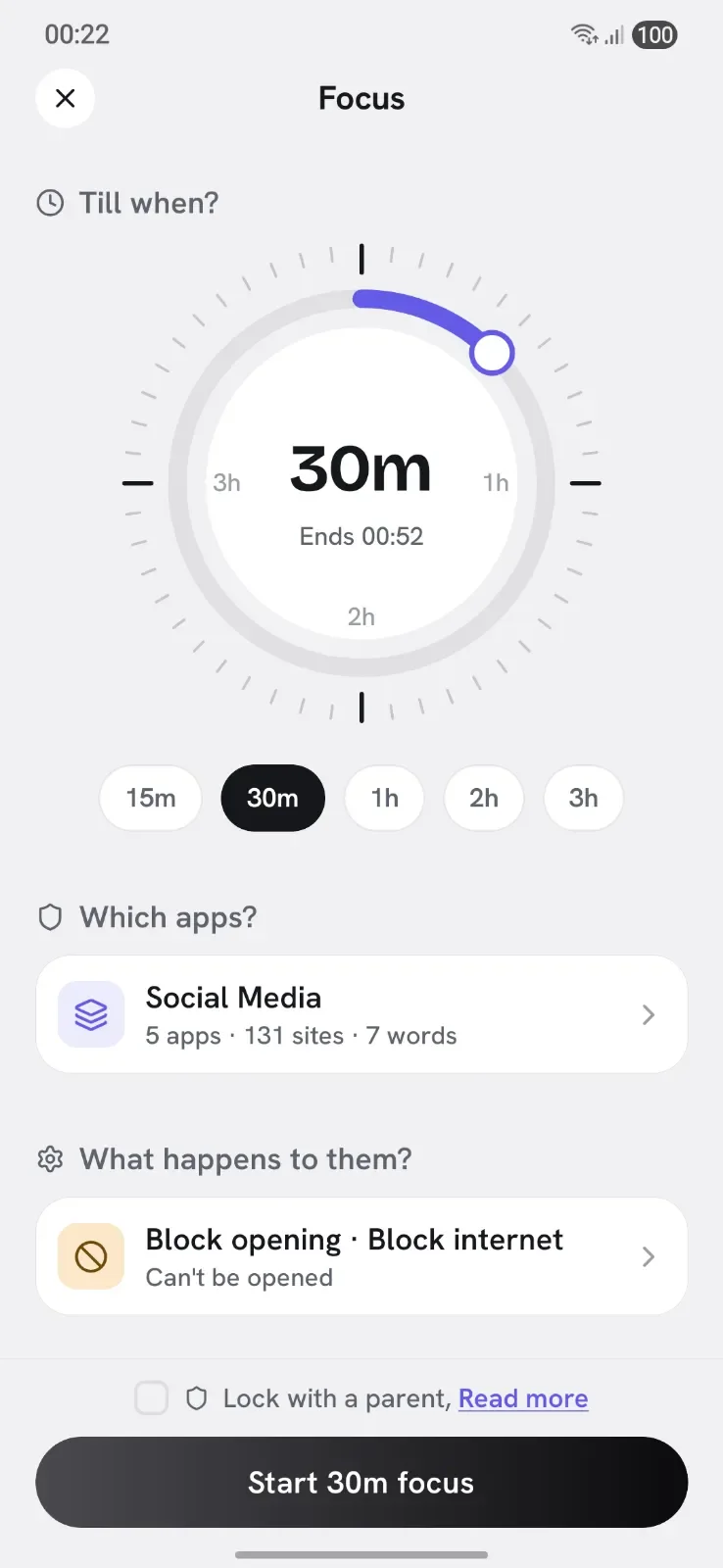
Start a timer and Appcognito seals off the apps, sites and keywords that pull you away, until the session ends. Lock it so the first urge to quit cannot win.

  • Set a duration and block distractions until time is up
  • Lock a session so you cannot bail early
  • Hand the key to a parent or partner for real accountability
9:41●●●

Focus

Tell Aurith what's pulling you away, Alex. It locks them until your time's up.

The usual?30m · Social Media
Start
Till when?
15m30m1h2h3h
Block what?
SSocial Media GGaming
Lock with a parent so you can't quit early
Swipe to start 30m focus
Mode 03 · Automation

Set it once, let your phone hold the line

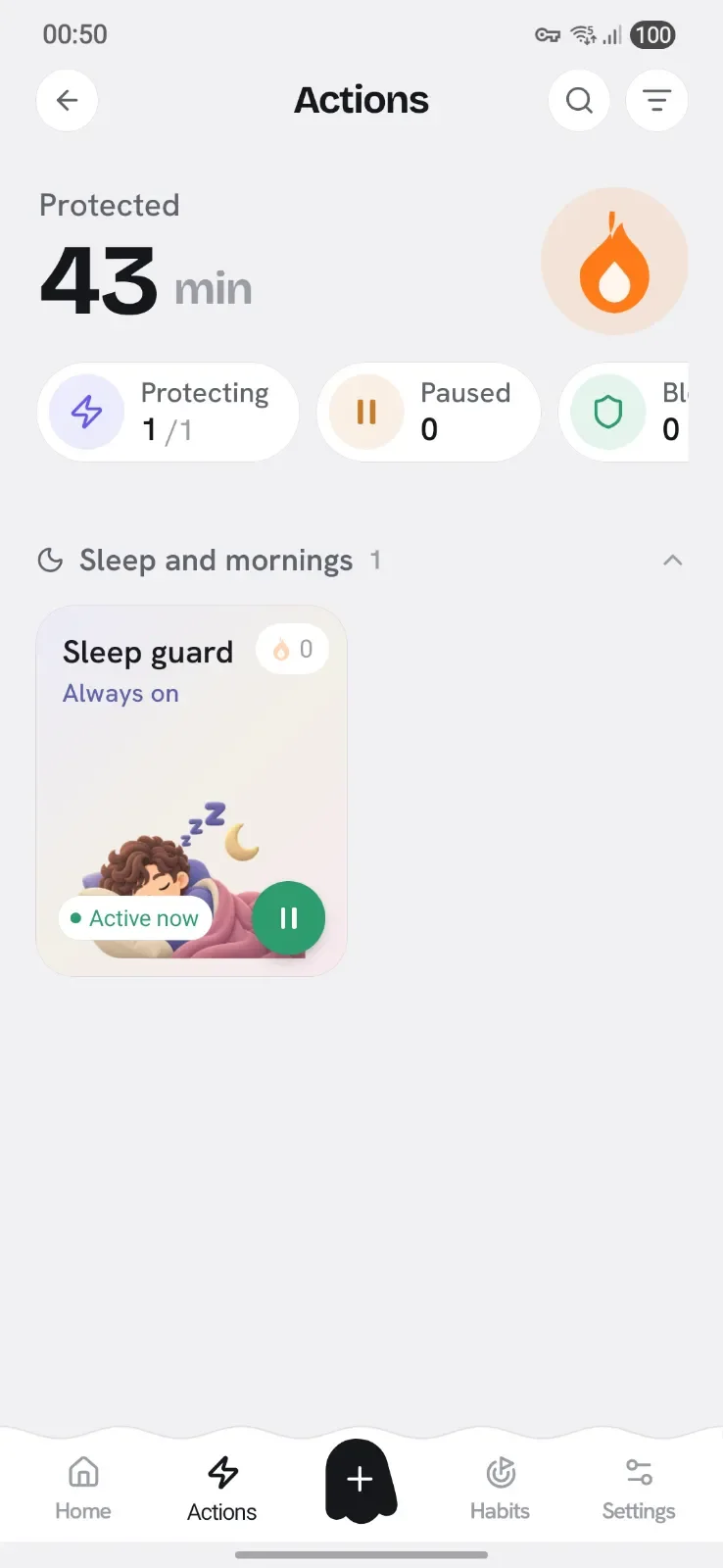
Blocking on autopilot. Create rules that trigger by schedule, charging, Wi-Fi, Bluetooth or place, so the right apps switch off without you lifting a finger.

  • Trigger by time, charging, Wi-Fi, Bluetooth or location
  • Keeps working when Appcognito is closed, even after a restart
  • Location is checked live to match your rules, never recorded
  • Time
  • Charging
  • Wi-Fi
  • Bluetooth
  • Place
9:41●●●

Automation

Set it up once, Alex. Your automation runs on its own and blocks for you.

Create newBuild it your own way
Pick a popular setupBedtime, work, the gym and more
Your automations (2)1 blocking now
Bedtime Armed · waiting for trigger
10:00 PM – 6:00 AM 2 profiles
Charging detox Active now
While charging Social Media
Mode 04 · Profiles

Bundle your distractions, flip them off together

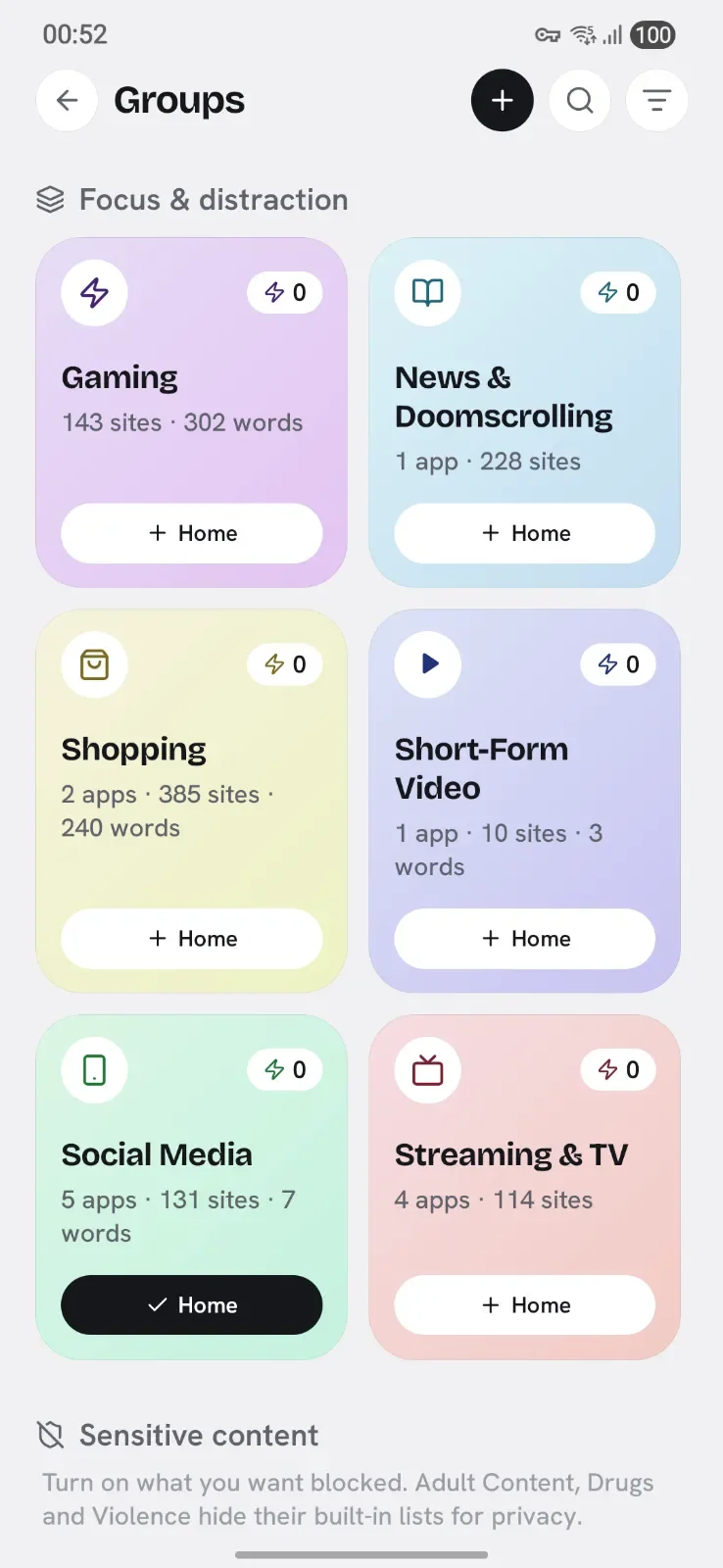
Group apps, sites and keywords into a profile like Doomscrolling, Gaming or Sleep, then switch the whole set on in one tap. Ready-made presets get you blocking in seconds.

  • Presets for social, short-form video, gaming, shopping and more
  • A built-in, locked Adult Content profile out of the box
  • Build unlimited custom profiles with Pro
9:41●●●

Profiles

Create new profileBuild one from scratch
Import a profileAdd a shared profile
Yours (3)Kit (8)
S
Social Media Blocking now
N
News & Doomscrolling 8 apps · 6 sites · 4 words
🔒
Adult Content Kit Restricted for privacy
The Kit

Ready-made profiles, blocking in seconds

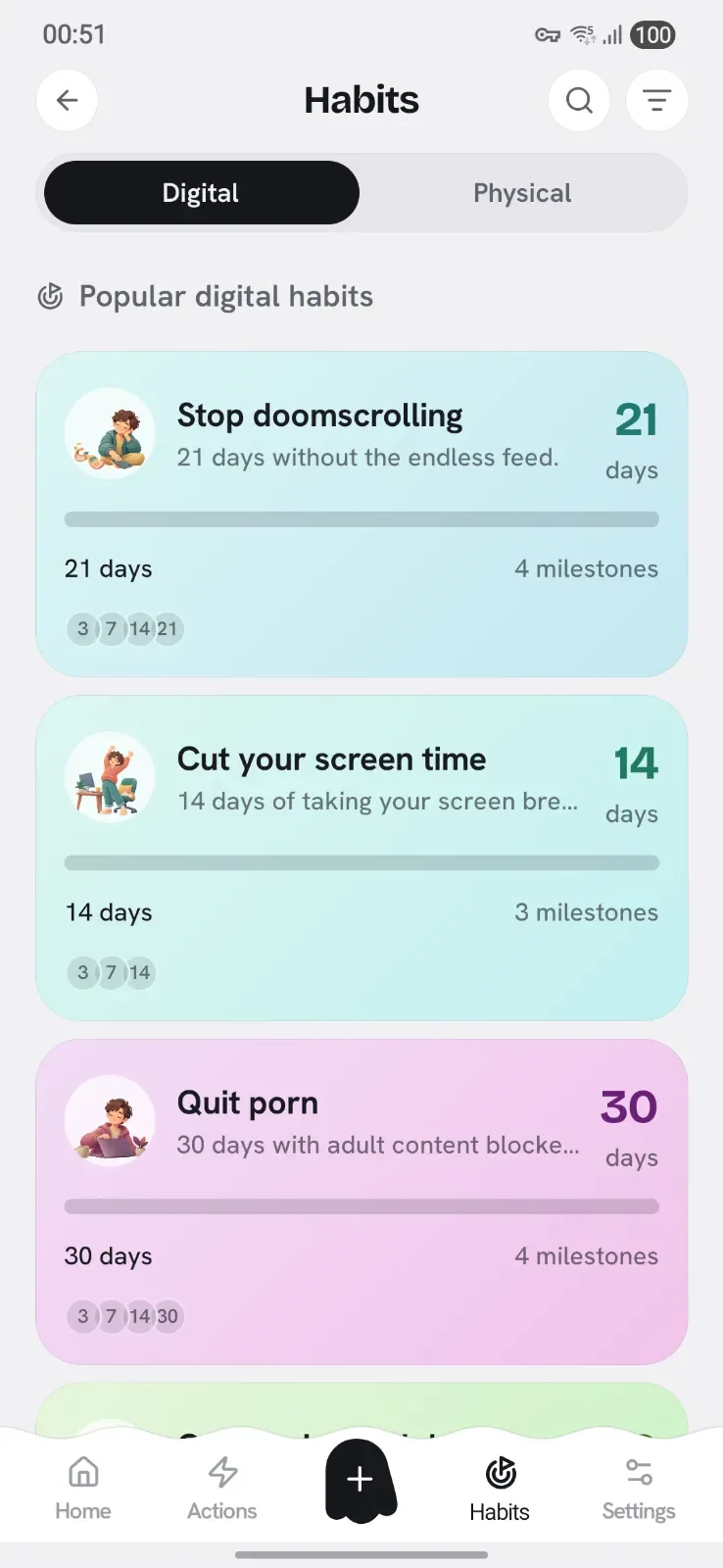
No blank page. The Kit comes loaded with profiles for the habits people fight most. Tap one and the right apps, sites and keywords switch off together.

Social MediaStop the endless feed
Short-Form VideoStep off the swipe treadmill
News & DoomscrollingQuiet the anxiety scroll
GamingPut the games down
Streaming & TVClose the binge tab
ShoppingCurb impulse buying
DatingTake a clear-headed break
Gambling & BettingWalk away from the bet
Built-in & locked

The Adult Content profile, ready out of the box

A specially-built profile that blocks adult sites, apps and explicit keywords from the very first launch, no list to assemble. To protect your privacy its contents stay hidden, and you can lock it behind a parental code so it can never be quietly switched off.

  • Adult websites
  • Adult apps
  • Explicit keywords
  • Incognito and other browsers

Perfect for a personal commitment, or for keeping a child's phone clean.

Read more about adult blocking
How it helps

Less willpower.
More autopilot.

You should not have to win a fight with your phone every hour. Appcognito moves the effort from your willpower to your settings, so the right thing happens on its own.

  1. 01

    See the truth, gently

    Appcognito shows where your hours really go, with zero judgement. Awareness is where every calmer day begins.

  2. 02

    Put up the right walls

    Pick a mode and block what hijacks you, by tap, timer, rule or profile. The friction lands exactly where you need it.

  3. 03

    Feel the streak grow

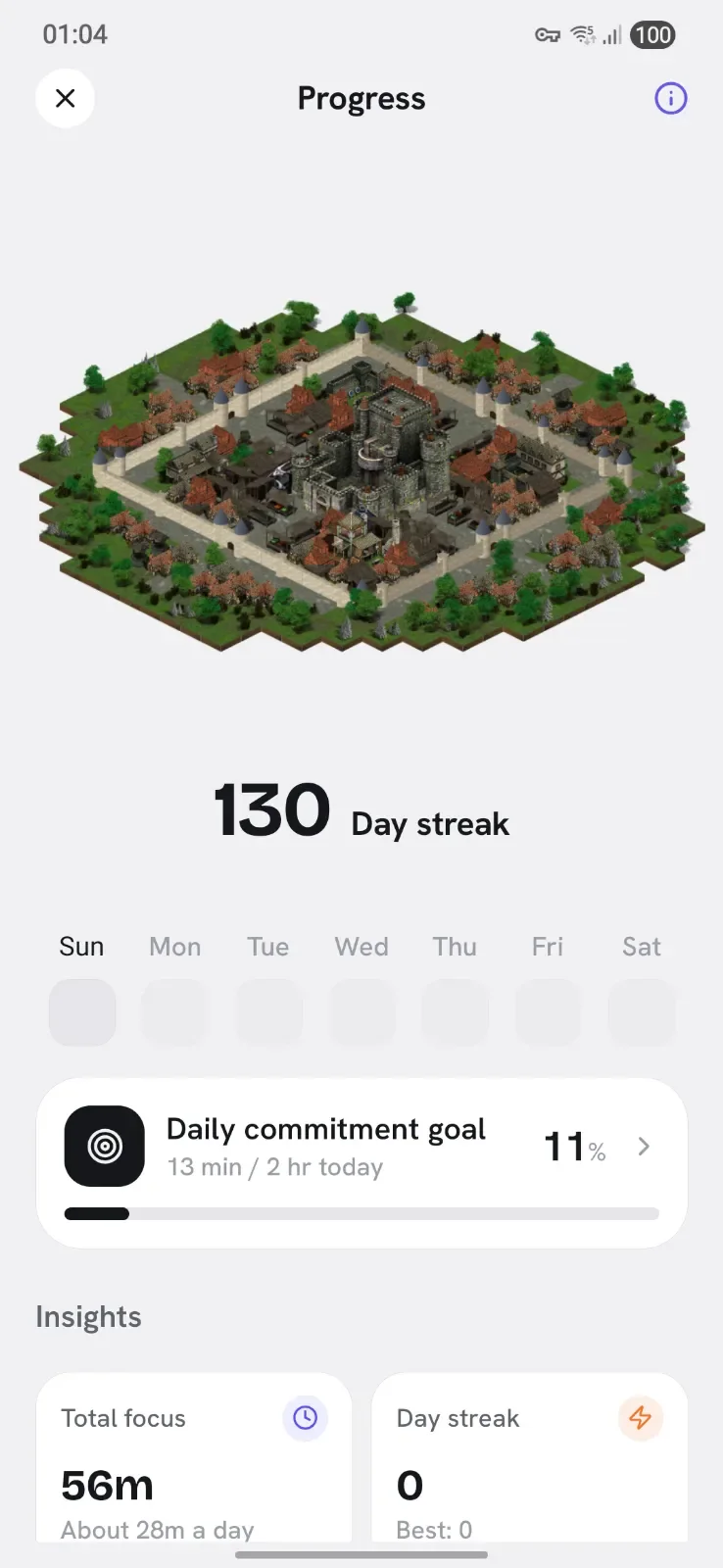
    Every focused day lights up your Aurith streak. Small wins compound into a habit you are proud of.

9:41●●●
Morning, Alex A
4
2h 34m today
Blocking status On
12 apps 840 sites
Quick BlockManage
D On
Doomscrolling12 apps
Tap to unblock
G
Gaming9 apps
Tap to block
Block more
AppsCut internet for any app
WebsitesBlock sites across apps & browsers
KeywordsBlock any word in searches
The power layer

Serious tools the others charge a fortune for

On top of the four modes, you get accountability locks, a real firewall and private insights, the kind of toolkit rivals split across pricey tiers. All of it on-device.

Keywords

Block the search, not just the app

Choose words that start a spiral. Appcognito checks the screen on-device and blocks the moment they appear, in any browser or app.

Accountability

A partner holds the key

Lock a block behind someone you trust, so a weak moment cannot undo your week.

Security

App lock with biometrics

Guard Appcognito behind a PIN and fingerprint, so blocks cannot be quietly switched off.

Aurith

Streaks that motivate

Every focused day lights up. Encouragement from your ghost companion, never shame.

Protection

Uninstall protection

Stops the late-night impulse to delete the app and binge. Reboot-proof, and only you can lift it.

Block

On-device firewall

A real firewall blocks apps and sites locally and keeps working when the app is closed.

Insights

Private insights

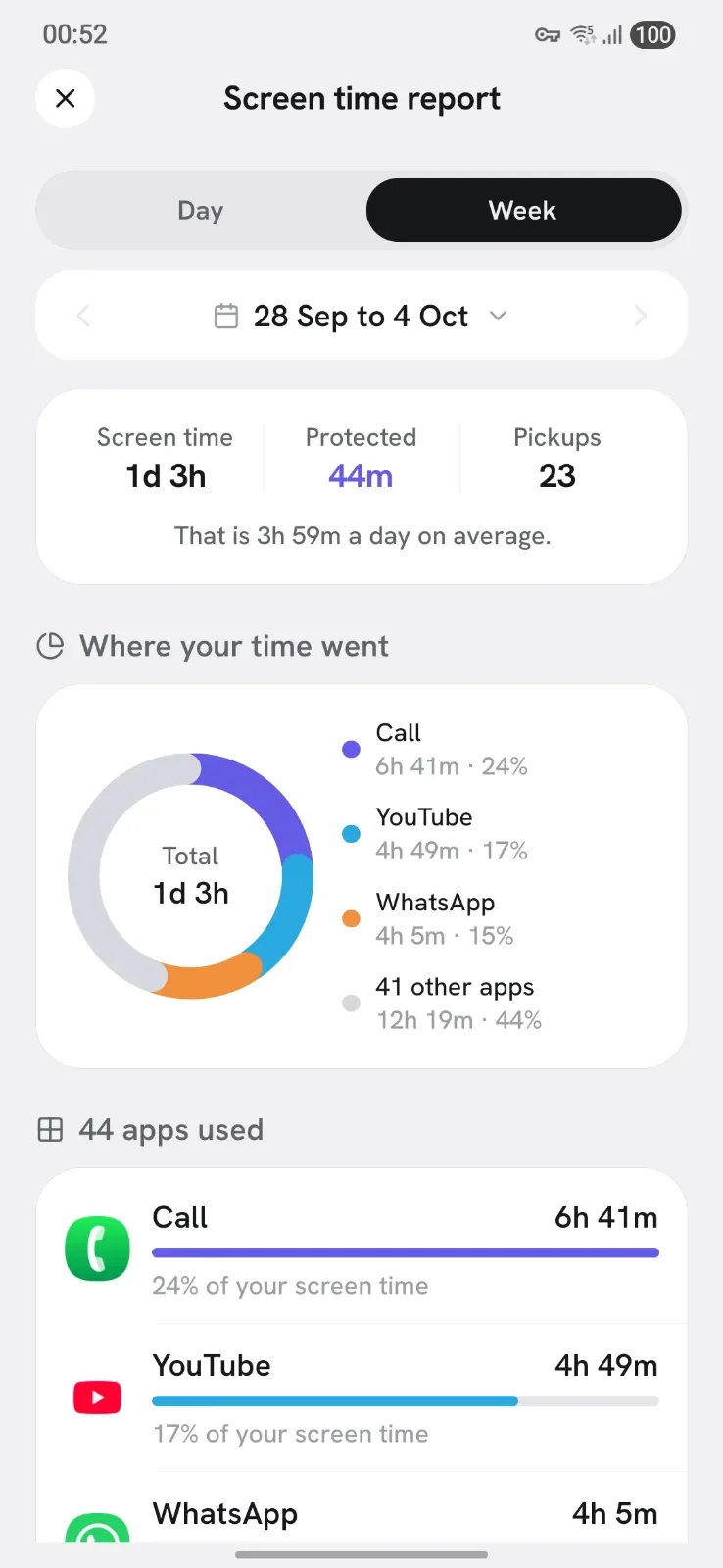
See where your time goes and watch screen time fall. Numbers never leave your phone.

Yours

Export and import your setup

Carry your profiles, rules and keywords to a new phone in seconds. Your configuration belongs to you, never a cloud account.

Parent code
428913
Refreshes in 30s · changes every time
Block locked Can't be removed
Parental controls

Accountability with codes that keep changing

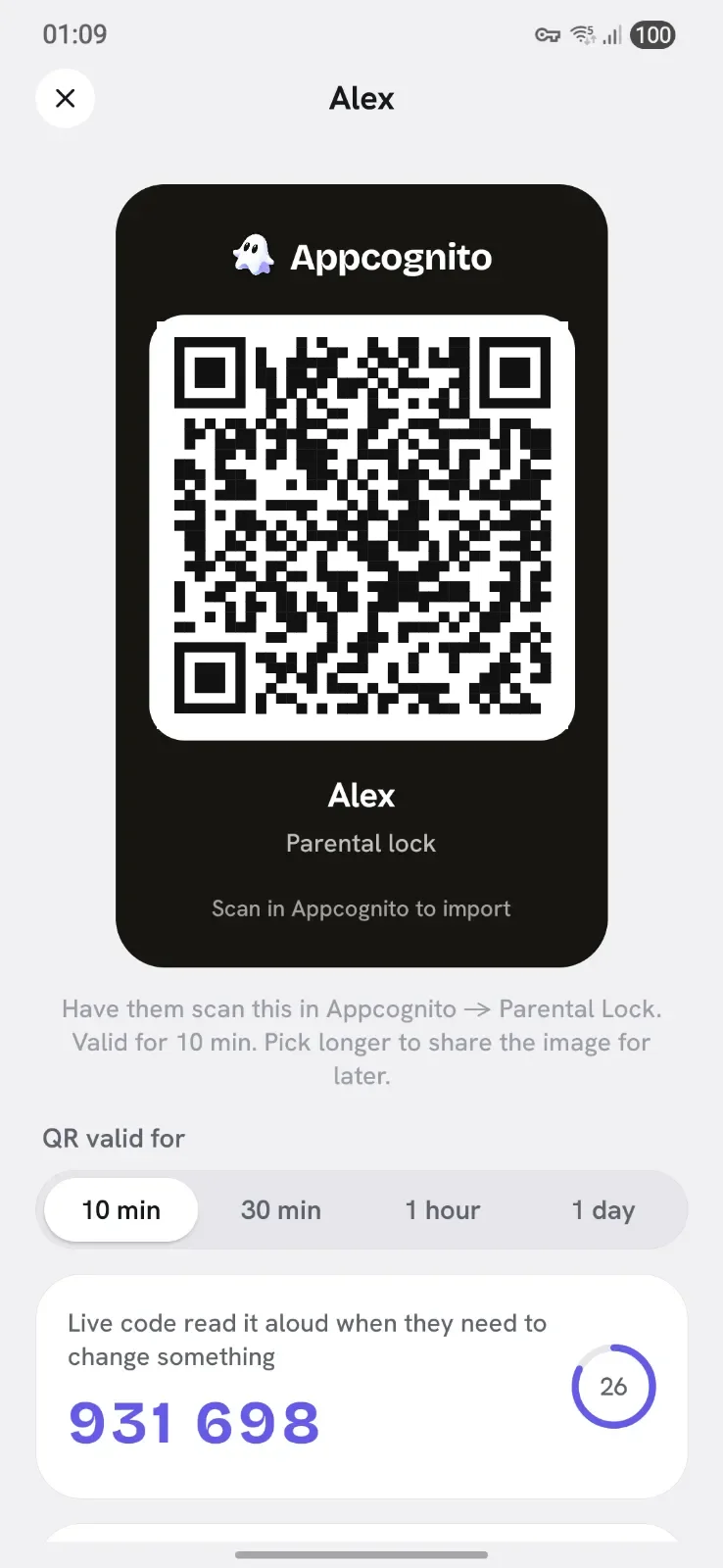
Willpower fades at 1am. So hand the keys to someone you trust. Appcognito locks a block behind a dynamic code, a fresh six digits every 30 seconds, held by a parent or partner. To unlock, you have to actually ask them. No back doors, no saved password to find.

  1. Lock a blockPut a dynamic-code lock on any quick block, focus session or schedule you want to protect.
  2. A trusted person holds the codeA parent or partner sets up the rotating code on their own device. You never see it.
  3. The code keeps changingA fresh code is generated every 30 seconds, so it can't be guessed, screenshotted or reused later.

Codes are generated on-device with a shared secret. Nothing is sent to a server.

Private by design

Your habits are nobody's business but yours

Most blockers watch everything you do to "help" you. Appcognito flips that. Everything is processed on your device and nothing moves out, so the one app meant to protect your time never spies on it.

  • No account, everThere is no sign-up and no profile of you on a server. You just open the app and start.
  • Processed on your phoneUsage, blocking and even on-screen keyword checks happen locally, in the moment. Nothing is uploaded.
  • Nothing to leak or sellBecause your data never leaves your device, there is no database for anyone to breach, mine or sell.
Read our plain-English Privacy Policy
How we compare

More than the big names, for a quarter of the price

Most blockers route your data through the cloud and charge a premium for less. Appcognito does more, entirely on your device.

Feature Best value Appcognito Freedom AppBlock
Price $14/yr or $59 lifetime₹699/yr or ₹2,999 lifetime Several times more Costs more
No account or sign-up
Works fully on-device, nothing in the cloud Limited
Blocks apps and websites together Limited
Automation by time, Wi-Fi, charging and place Limited Limited
Parental and accountability locks Limited Limited
On-screen keyword blocking
No ads, no tracking, nothing sold Limited

Comparison based on publicly available information; competitor features and prices change over time. Appcognito: $14 a year or $59 once for life₹699 a year or ₹2,999 for life.

You are not doing this alone

A whole community in your corner

Breaking a habit is easier with people who get it. Join our Discord community and supportive circles to swap wins, ask for a nudge on a hard night, and cheer others on. No shame, no lectures, just real people building calmer lives together.

Doomscroll detoxBetter sleepDeep workQuitting adult contentScreen-time resetsGentle accountability
Loved by early users

Quiet app, loud results

Honest words from our early users, the people living with Appcognito every day.

The automations are the magic. My phone just locks down when I sit at my desk, and I stop fighting myself all day.
PPriyaEarly user
Tried Freedom and a few blockers. This is the first one I did not uninstall in a week. The streak got me.
DDanielEarly user
Knowing nothing leaves my phone is the whole reason I trust it. No account, no cloud, no creepy feeling.
AAnanyaEarly user
Partner lock changed late-night scrolling for me. My wife holds the code and I finally sleep.
RRohanEarly user
It is calm, not preachy. Aurith feels like a friend nudging me, not an app shaming me.
EEmilyEarly user
Set my work apps to unblock only on office Wi-Fi. Genuinely got two hours of my evening back.
KKarthikEarly user
Questions, answered

Frequently asked

Does Appcognito send my data anywhere?

No. Appcognito has no account and no servers. Your block lists, activity and settings stay on your device. There is nothing to upload, leak or sell because your information never reaches us.

What are the four modes?

Quick Block for instant one-tap blocking, Focus for locked deep-work sessions, Automation for hands-free rules by time, Wi-Fi, charging, Bluetooth or place, and Profiles to bundle apps, sites and keywords you can flip on together.

What permissions does it need, and why?

Only what each feature needs. A local VPN powers the on-device firewall, usage access lets you set limits, and accessibility is used only for optional keyword blocking. Sensitive permissions like device admin and location stay off until you enable a feature that uses them.

How is it different from other app blockers?

Most blockers are simple timers or route your data through the cloud. Appcognito blocks on-device with a real firewall, automates by Wi-Fi, charging and place, adds accountability locks, and never tracks you. It is also about a quarter of the price of Freedom or AppBlock.

How do I block porn on my phone?

Appcognito has a built-in Adult Content profile that blocks adult sites, apps and explicit keywords on your device. Turn it on in one tap and the on-device firewall, plus real-time keyword blocking, stop explicit pages from loading in any browser. You can lock it behind a parental or partner code so it cannot be quietly switched off. Appcognito is built for Android, with an iPhone version on the roadmap.

How do I block apps on my phone?

Choose the apps you want gone and Appcognito blocks them with an on-device firewall, even while you are using other apps. Use Quick Block for an instant one-tap block, Focus for a timed locked session, or save a Profile to flip a whole set of apps on together. It works on Android, and an iPhone version is on the roadmap.

How do I block a website or webpage on Android?

Add any site, domain or whole category to your block list and Appcognito's firewall stops it loading across every browser and app, not just one. You can also block by keyword, so pages about a topic are blocked even on sites you did not list. It blocks internet sites on Android on-device, with no account and nothing leaving your phone.

How do I avoid distractions and stay focused while studying?

Start a Focus session to lock yourself out of distracting apps and sites for a set time, with an optional code so you cannot end it early. Block social media and games in one tap with Quick Block, or use Automation to switch blocking on by time or place, so it begins automatically when your study hours start or you reach your desk.

Is there a timer lock for apps?

Yes. Appcognito can block an app automatically once you have used it for a set number of minutes, so a quick check does not turn into an hour. Focus mode also runs a locked countdown that blocks your chosen apps until it ends, and an optional PIN or fingerprint app lock adds another layer.

Is the free plan actually useful?

Yes. All four modes work on the free plan with no time limit. Pro removes limits and adds the accountability and power features for $14 a year or $59 once for life.

Is there a community I can lean on?

Yes. Appcognito has its own Discord community and supportive circles for beating specific habits, so you are never doing it alone. It is encouragement, accountability and shared wins, with no judgement.


Is Appcognito available now, and is there an iPhone version?

Yes. Appcognito is live on Google Play and you can download it for Android today. An iPhone version is on the roadmap.

Your calmer days
start today

Private, affordable and genuinely on your side. Download Appcognito free on Google Play, and unlock Pro at 50% off.

No account. No cloud. No tracking. Free to start, Android first.